
 admin
adminclean used laptops for sale
Cleaning used laptops for sale is an essential step to ensure they look presentable, function efficiently, and maintain their value. Whether you are a reseller preparing devices for the market or an individual upgrading a second-hand laptop, proper cleaning enhances both aesthetics and performance. When dealing with used laptops for sale, it is important to follow a thorough cleaning process, covering the exterior, screen, keyboard, and internal components. This not only improves the device’s appearance but also ensures it runs smoothly, making it more attractive to potential buyers.
To begin cleaning used laptops for sale, start with the exterior casing. Use a microfiber cloth slightly dampened with a solution of water and isopropyl alcohol to wipe down the outer surface. This effectively removes fingerprints, dust, and smudges without damaging the finish. Avoid using excessive liquid, as it can seep into the ports or seams, causing internal damage. For stubborn grime or sticky residues, gently scrub the affected area with a soft-bristled brush or a cotton swab dipped in alcohol. Ensuring the exterior is spotless adds to the laptop’s visual appeal, making it more marketable.
Next, focus on the screen, which is one of the most noticeable parts of a laptop. To clean the display of used laptops for sale, use a dedicated screen-cleaning solution or a mixture of distilled water and white vinegar. Spray the solution onto a microfiber cloth rather than directly onto the screen to prevent liquid damage. Gently wipe the screen in circular motions, removing smudges, dust, and streaks. A clear, smudge-free display enhances the viewing experience, making the laptop more desirable to buyers, especially in wholesale used laptop transactions where visual presentation matters.
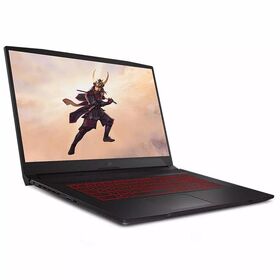
How do I clean used laptops for sale?
The keyboard is another critical area that requires detailed cleaning. Dirt, crumbs, and debris often accumulate between the keys of used laptops for sale. To clean the keyboard effectively, use compressed air to blow away loose particles. For deeper cleaning, use a cotton swab dipped in isopropyl alcohol to wipe between the keys. If necessary, carefully remove individual keys to access and clean the underlying surface. Disinfecting the keyboard is particularly important when reselling used laptops, as it ensures hygiene and improves the overall appearance of the device.
Lastly, cleaning the internal components is vital for the optimal performance of used laptops for sale. Over time, dust and lint can clog the cooling system, leading to overheating and reduced efficiency. To clean the internal parts, carefully open the laptop casing and use compressed air to blow away accumulated dust from the fans and vents. This helps maintain proper airflow, preventing overheating issues and extending the laptop’s lifespan. For wholesale used laptop sellers, regularly cleaning the internal components ensures the devices function reliably, boosting customer satisfaction.
Shop online for wholesale used laptops? Global Sources has a full-scale list of wholesale used laptop products at factory prices featured by verified wholesalers & manufacturers from China, India, Korea, and other countries to satisfy all the requirements! Global Sources puts an end to the complex traditional commerce by bringing together Used Laptop suppliers and buyers. In our B2B platform, it takes only a few clicks to spot stylish goods, compare the price, learn the MOQs of Chinese, Indian, and Korean Used Laptop products for sale as well as items from other countries, and reach out to suppliers to strike a deal.
